Watch And Earn
from zip to store.
Everything you need to run, configure, rebrand and publish your own rewards app. Read it top to bottom the first time. After that, press / and search.
01What you bought
Watch And Earn is a rewards app for Android and iOS, built with Flutter and Firebase. Your users collect points and badges by watching rewarded videos, keeping a daily streak, spinning a lucky wheel, scratching cards, answering quizzes, playing eight mini-games, finishing daily tasks, completing partner offers, offerwalls and surveys, and inviting friends, with a season pass, achievements, a check-in calendar, events, teams, friends, a mystery box, a rewards store, an inbox and promo codes, in 9 languages. Version 4.0 adds an optional cash wallet with payouts, a new design and six new mini-games. You run the whole app from a web console, the operator console, without changing code.
Points are a non-transferable score with no cash value: ads, games, streaks and every other points source pay points only, and there is no code path from points to money. The optional cash wallet (new in 4.0, off by default) is credited only by verified partner offers and surveys, the referral commission on those, and cash you grant by hand; users cash it out by PayPal, crypto, bank transfer or gift cards after you approve the request (unless auto-approve, off by default, is on). Google AdMob's rewards policy forbids money for ad views, and tests in the package fail if a points-to-cash path is added. Paying users real money brings legal duties for you. See Wallet and payouts and Your legal duties.
The package has three parts that share one data contract (docs/CONTRACT.md plus the addenda docs/CONTRACT-3.1.md and docs/CONTRACT-4.0.md):
| Folder | What it is |
|---|---|
app/ | The Flutter app: Android, iOS and a web demo mode. Screens in app/lib/ui/ (five tabs: Home, Earn, Play, Wallet, Profile), design tokens in app/lib/core/design.dart, the 4.0 games in app/lib/games/, ads in app/lib/ads/, purchases in app/lib/iap/, texts in app/lib/l10n/app_*.arb (9 languages). |
firebase/ | Firestore security rules and indexes, and the Cloud Functions (TypeScript, Node 22) that hold every rule: the points ledger, rewarded-ad verification for three ad networks, offerwall and survey postbacks, the cash wallet ledger and payouts (PayPal Payouts API, manual crypto, bank and gift cards), daily caps, rate limits, App Check, anti-fraud rules, referrals, streaks, leaderboards, events, purchase verification, revenue events and scheduled jobs. |
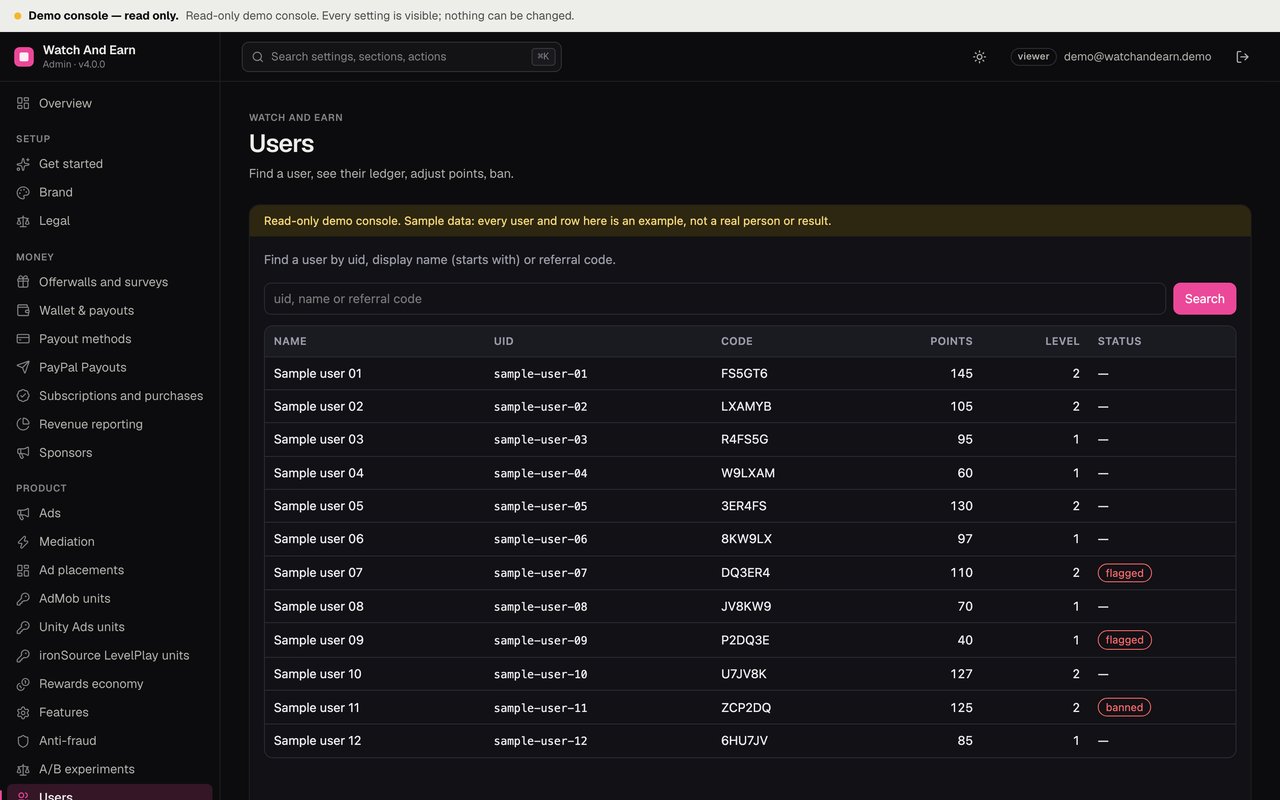
admin/ | The operator console, a small Node server built on the MIKODES Admin Kit. Settings for brand, legal pages, ads, mediation, placements, offerwalls, economy, features, purchases, season, achievements, mini-games, anti-fraud, experiments, revenue reporting, wallet and payouts, payout methods and PayPal Payouts; pages for users, wallets, payouts, business, review queue, redemptions, revenue and growth, ledger, fraud flags, leaderboards, teams, sponsors, store, events, promo codes, quizzes, tasks, offers and push campaigns. |
docs/CONTRACT.md, docs/CONTRACT-3.1.md, docs/CONTRACT-4.0.md | The data and API contract: every Firestore collection, every setting with its default, every Cloud Function. The addenda add features and record how they were built. |
CHANGELOG.md | What changed in each version. |
README.md | Short developer overview with the main commands. |
02How the app can make money for you
The app is revenue-ready: it contains the mechanisms below. How much they bring depends on your traffic, the networks and providers you work with, the countries of your users and policy compliance. These docs do not estimate income, and the console shows only measured revenue (Revenue centre).
| Mechanism | How it works | Default |
|---|---|---|
| Rewarded videos | Users choose to watch a video for points. The ad network pays you. Points are credited only after the network's server-side callback is verified. Ads | On, with Google's AdMob test ids |
| Mediation | A waterfall across AdMob, Unity Ads and ironSource LevelPlay, or one mediator SDK. Mediation and placements | Waterfall with AdMob only |
| App-open, interstitial, banner, native and rewarded-interstitial ads | Each with its own caps, plus global caps per hour and a first-session grace. | All off |
| Offerwalls and surveys | AdGem, Lootably, BitLabs and CPX Research. The provider pays you, and a signed postback credits the user with points, or in cash mode with a share of the payout in the wallet; the rest is your margin. Offerwalls and surveys, Cash mode | All off; cash mode off |
| VIP subscription, remove-ads, boosters, point packs | Store products verified on the server. VIP, boosters and packs | All off |
| Sponsored campaigns | Banners, tasks and quizzes you sell to brands, labelled "Sponsored". Sponsors | None |
| Partner offers | Offers from affiliate partners with a signed postback. Your payment from the partner is under your own agreement with them. Partner offers | No offers |
03What it looks like
The app has five tabs: Home (both balances, the next-payout progress, daily goals, featured offers, the streak), Earn (offerwalls, surveys, tasks, rewarded videos), Play (wheel, scratch cards and eight mini-games), Wallet (cash balances, payout methods and history; it becomes the Rewards store where the wallet is off) and Profile. Dark and light themes: Design and theming. To see it, run the web demo in two minutes (Quick start) or open the live demo linked at the top of this page.
04Pick your path
05What is not included
A Firebase project on the paid Blaze plan, an ad network account (and accounts with any offerwall or survey provider you add), Google Play and Apple developer accounts, hosting for the operator console, your privacy policy, terms and rewards-rules pages, and any partner agreements for offers. If you switch the cash wallet on: a PayPal Business account with Payouts (PayPal charges fees) or your own crypto wallet, bank account or gift-card supplier, the money you pay out, payout terms, and legal and tax advice. None of these are part of the purchase. See Paid services.
06How to read these docs
- Dark boxes are commands. Press Copy in the corner and paste them into a terminal.
- Grey text after
#is an explanation. The Copy button leaves it out. - Text in capitals or angle brackets, like
REGION-PROJECTor<your-project-id>, is a placeholder. Replace it, brackets included. - Paths start at the unzipped folder.
app/lib/ads/means theadsfolder insidelibinsideapp. - Required marks steps you cannot skip before a public release. Optional marks steps you only need for a feature you want.