
Customization
name, colour, logo, e-mail.
A step-by-step walkthrough for your first rebrand, with before and after pictures from the real console and app. Three changes take a minute in the console and need no new build. The logo and the home-screen name need a new build.
01What you will change
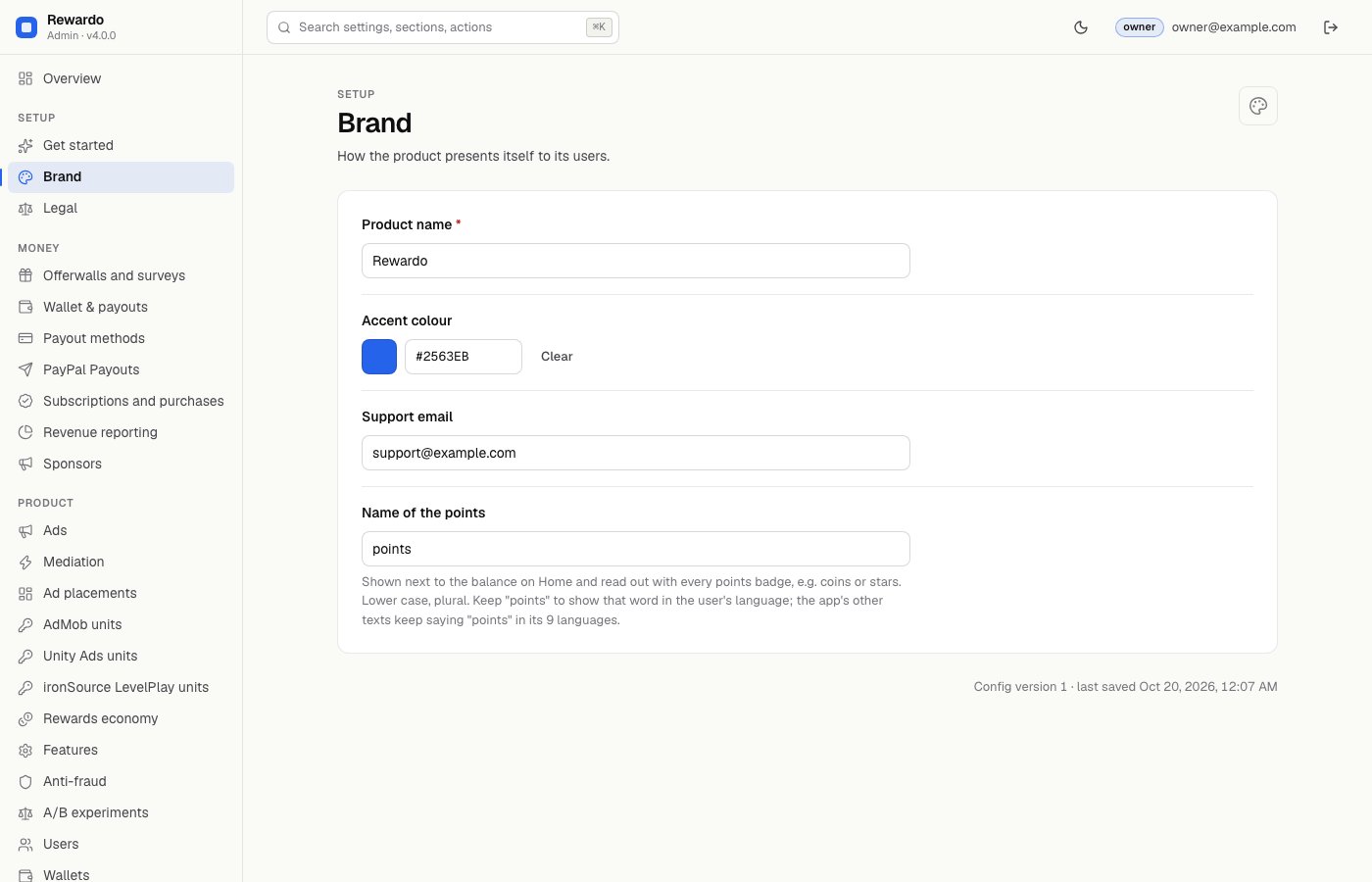
This walkthrough uses an example brand, Rewardo, with the accent colour #2563EB (blue) and the support e-mail support@example.com. Use your own values.
| Change | Where | New build? | Step |
|---|---|---|---|
| App name inside the app | Console → Brand → Product name | No | 1 |
| Accent colour | Console → Brand → Accent colour | No | 1 |
| Support e-mail | Console → Brand → Support email | No | 1 |
| Logo (app icon, web icons) | Image files in app/ | Yes | 4 |
| Name under the icon on the phone | Two project files | Yes | 5 |
Before you start: the console is running and connected to your Firebase project (Operator console), and you are signed in as the owner.
021. Change the name, colour and e-mail in the console
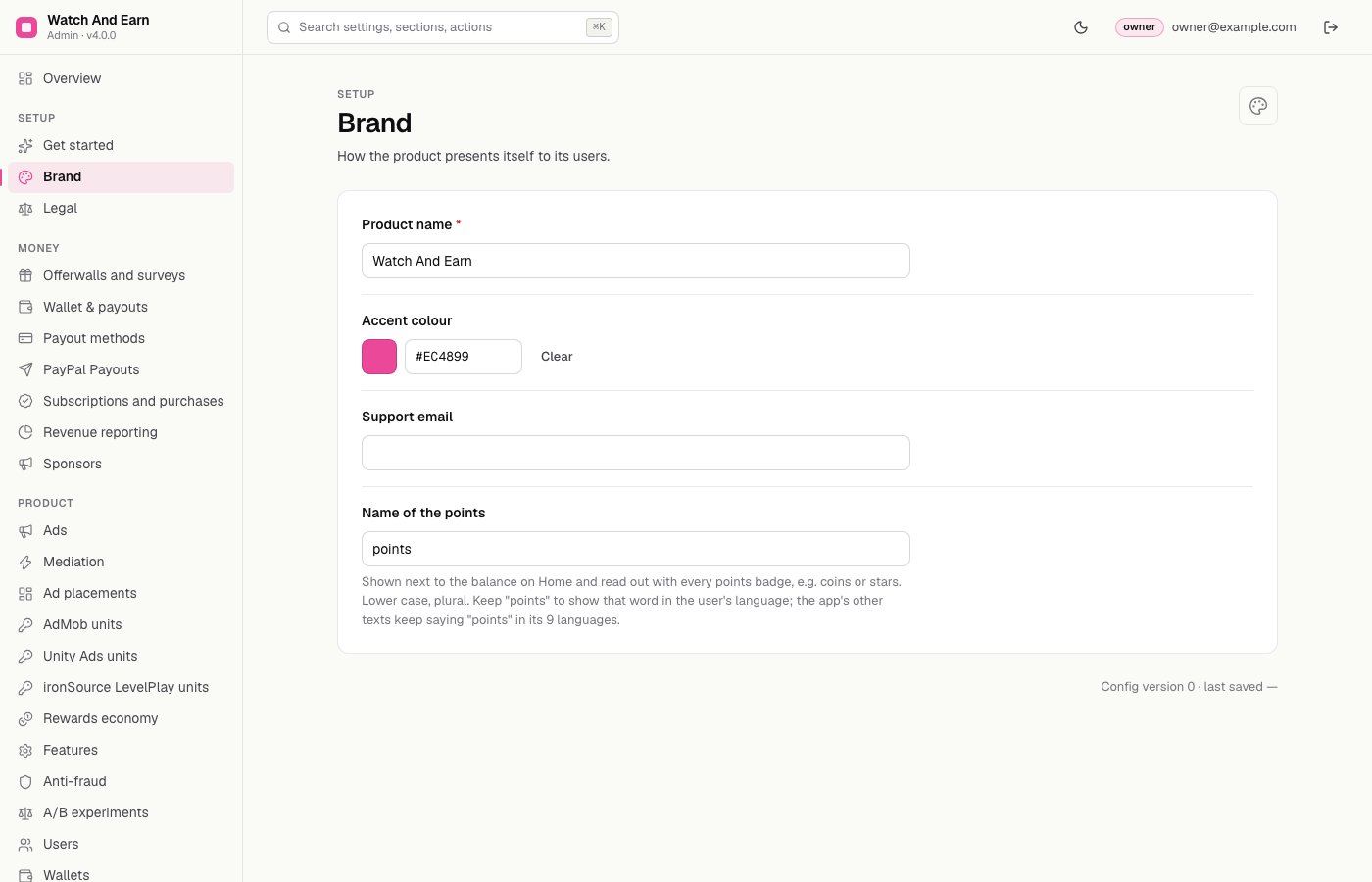
- Open BrandIn the console's left menu, under Setup, click Brand. The page says "How the product presents itself to its users."
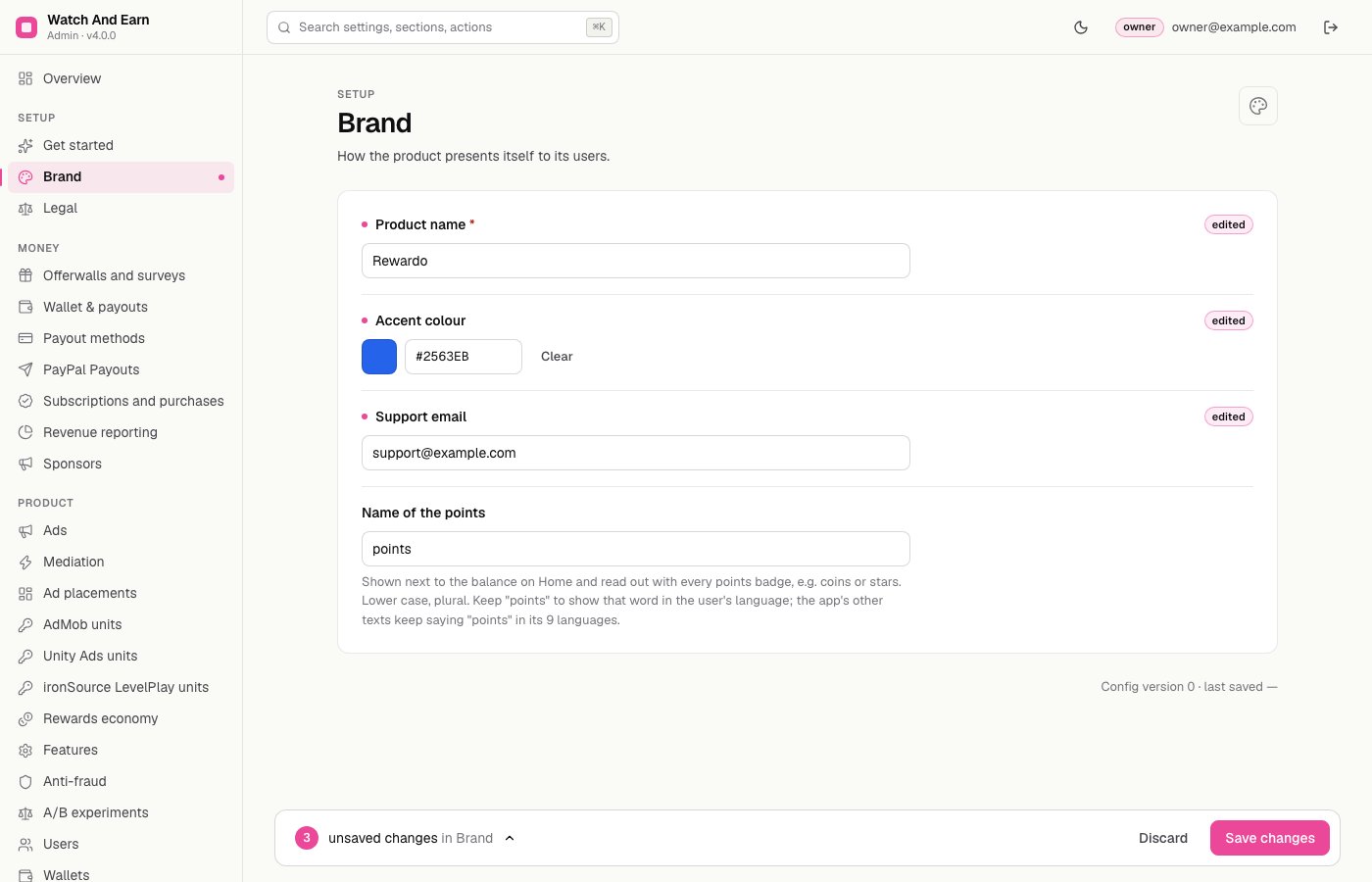
- Product nameReplace "Watch And Earn" with your app's name.
- Accent colourClick the colour swatch and pick a colour, or type a hex code such as
#2563EBinto the box next to it. Clear goes back to the default (#EC4899). - Support emailType the address where users can reach you. While this field is empty, the app shows no support contact at all.
- SaveEach changed field shows an edited tag, and the bar at the bottom counts the unsaved changes. Click Save changes. Discard throws them away.
032. Check the app
The app reads these settings live from Firestore (config/public), so open apps change within seconds. No new build and no store update are needed.
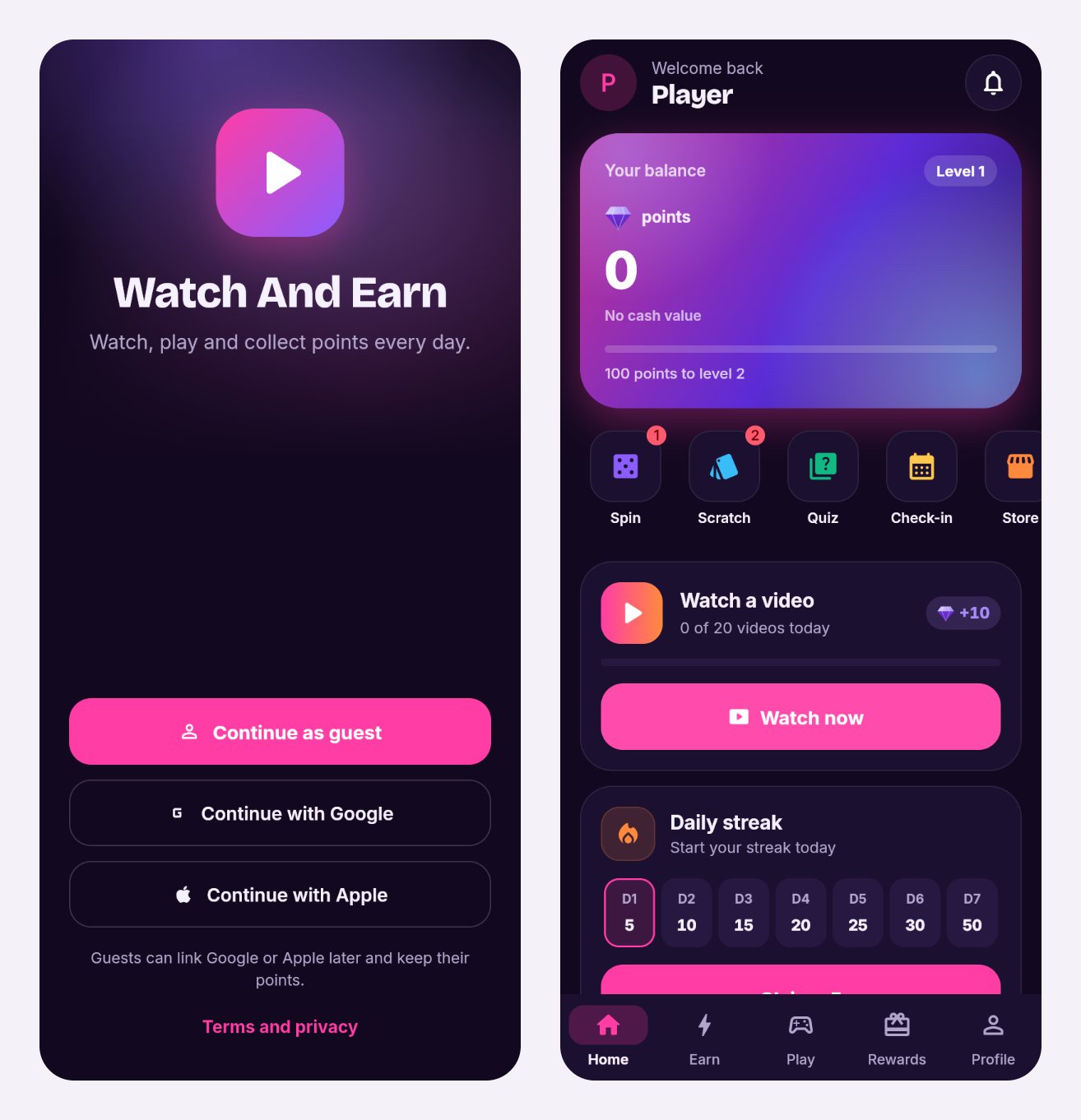
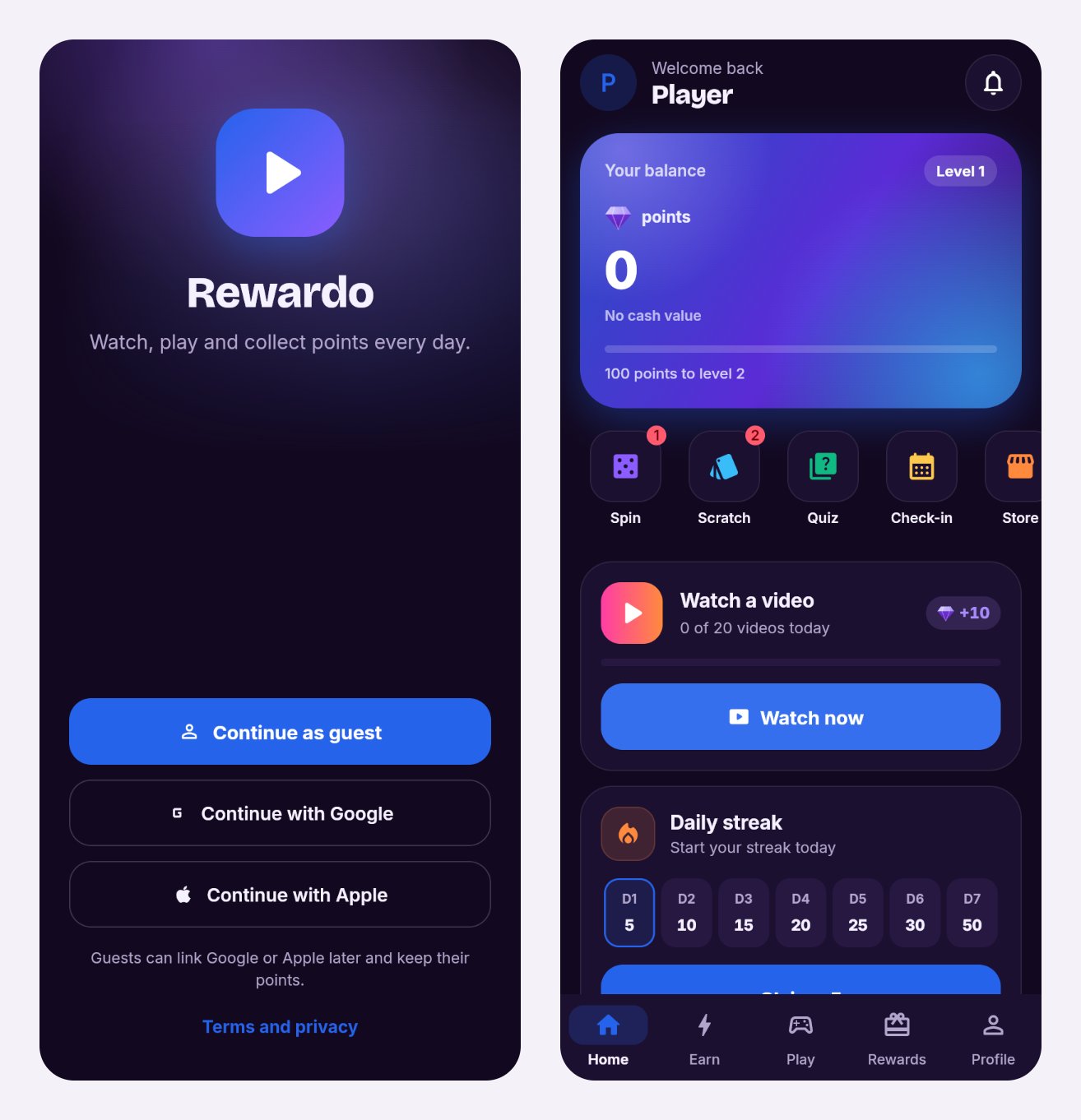
A user who buys and equips a theme in the rewards store sees that theme's colour instead of your accent colour. That is expected (Colours beyond the accent).
043. Check the support e-mail
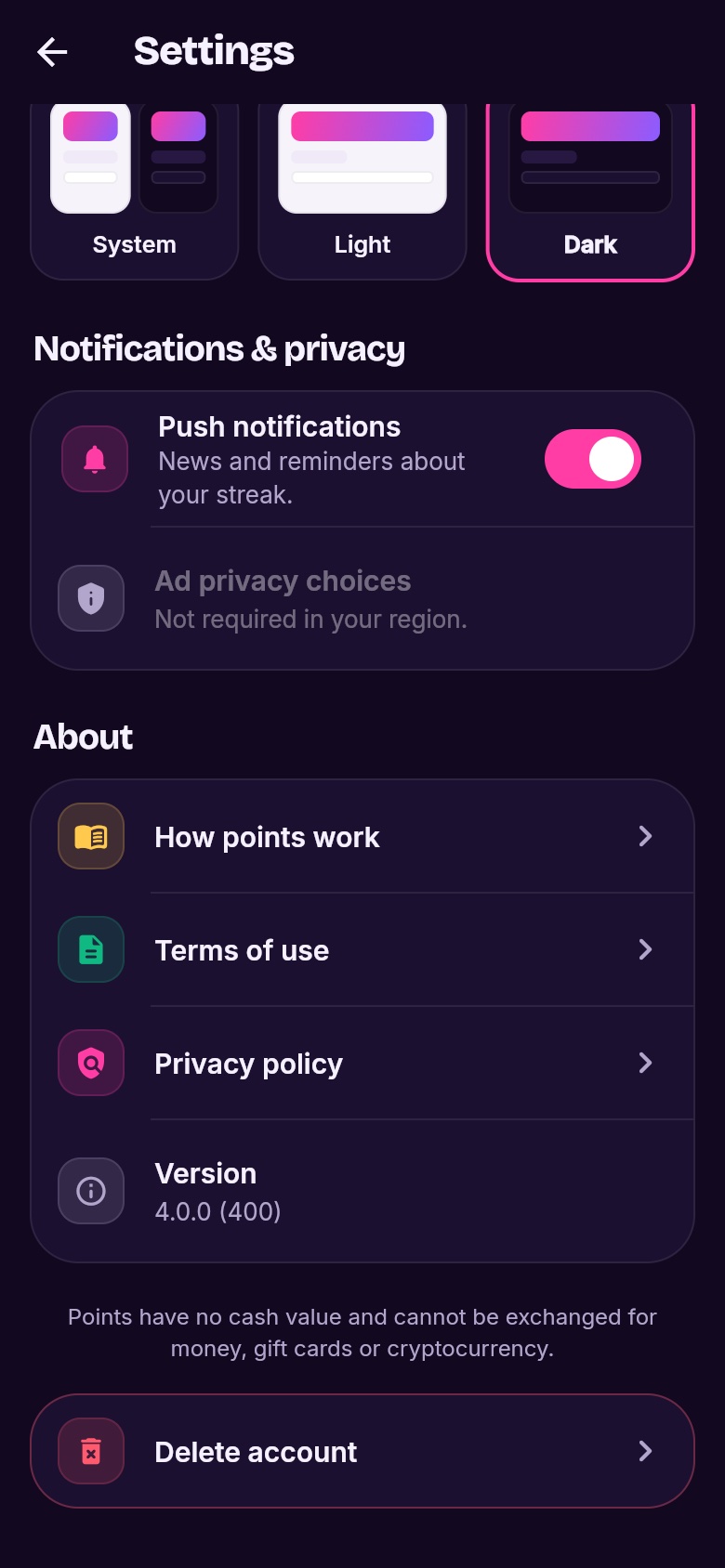
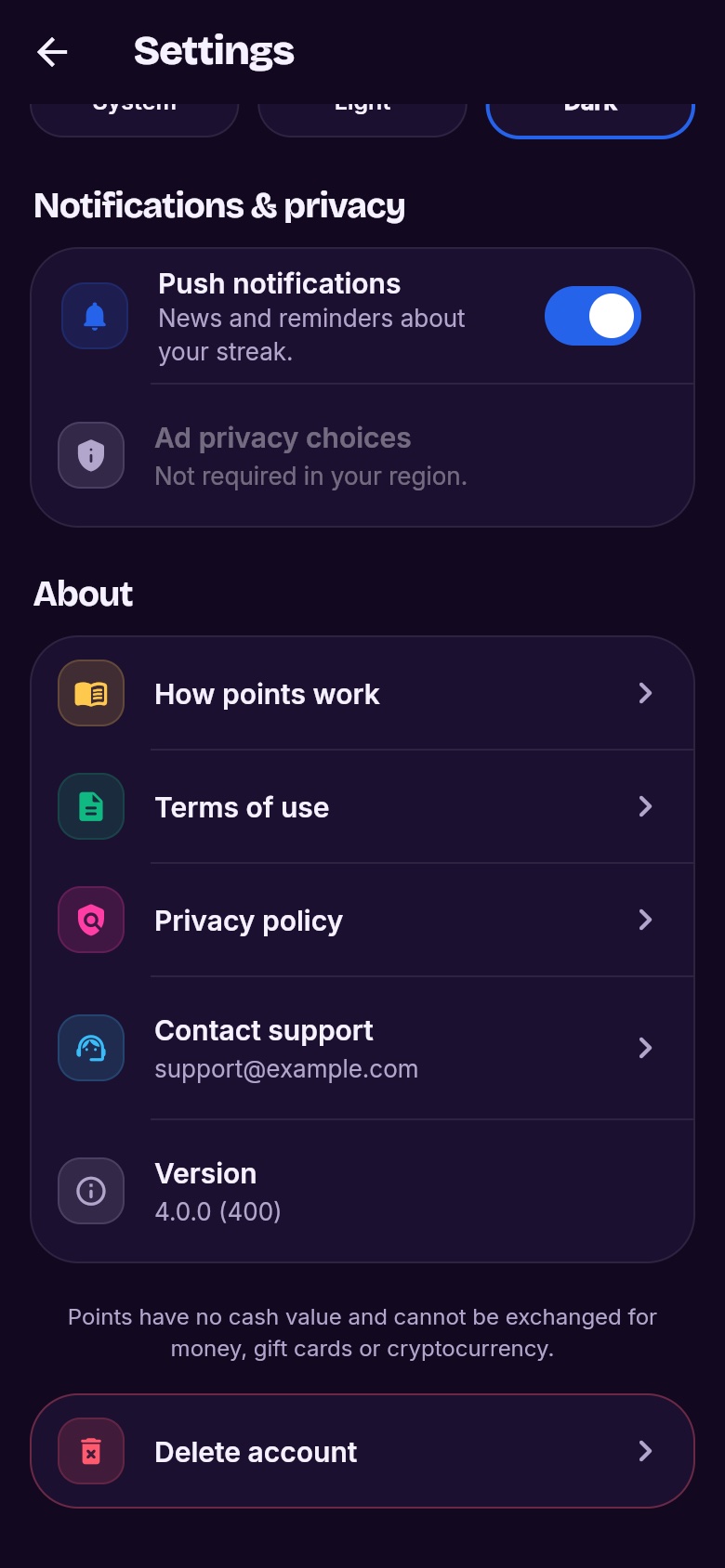
In the app, open the Profile tab → Settings and scroll to About. A Contact support row with your address appears there once the console field holds an e-mail address.
054. Replace the logo
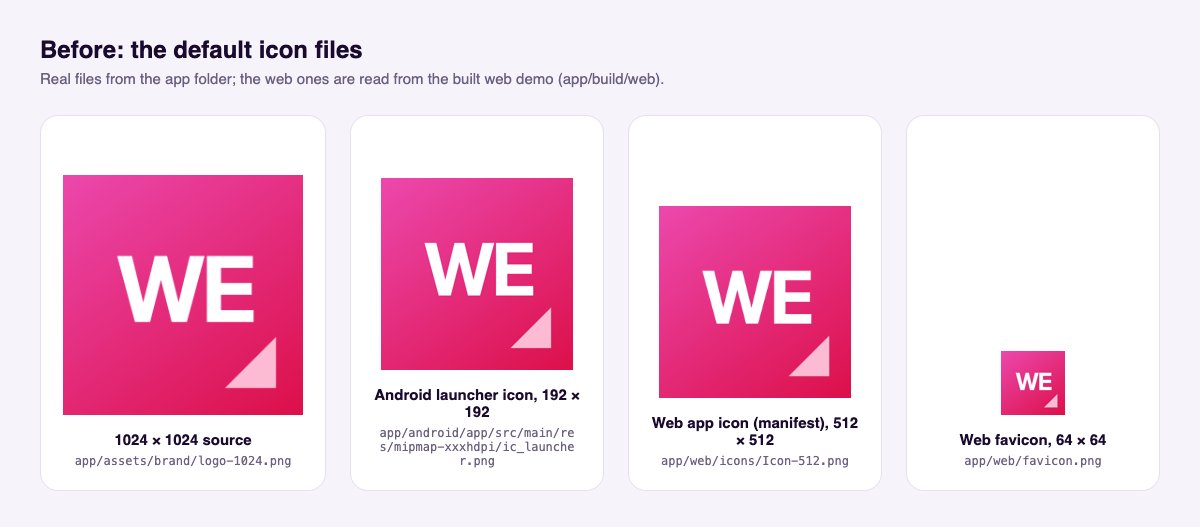
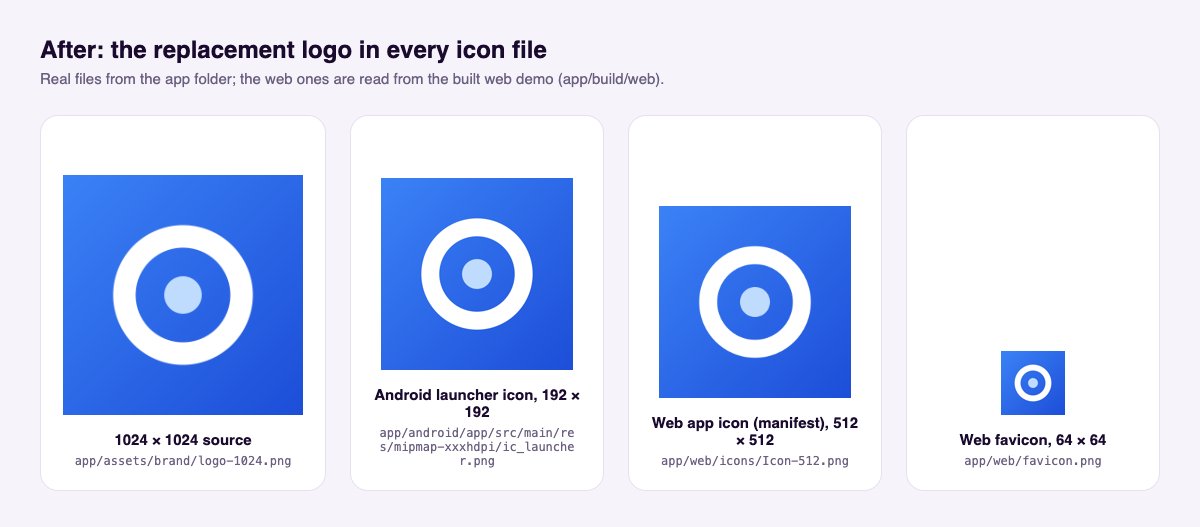
The logo is a set of plain image files. Replace them with your own images, keeping the same file names and sizes, then build the app again.
- Make one square image1024×1024 pixels, PNG, no transparency for iOS. Keep important parts away from the edges: Android crops icons into circles or rounded squares.
- Generate the sizesThe simplest way is the
flutter_launcher_iconspackage from pub.dev: add it as a dev dependency, point it at your image and rundart run flutter_launcher_icons. It writes the Android and iOS icons for you. Follow that package's own instructions. - Or replace the files by handSame names, same pixel sizes:
File Used for app/assets/brand/logo-1024.pngYour master image (1024×1024) app/android/app/src/main/res/mipmap-*/ic_launcher.pngAndroid launcher icon, one size per folder app/ios/Runner/Assets.xcassets/AppIcon.appiconset/iOS app icon, every size listed in its Contents.jsonapp/web/icons/andapp/web/favicon.pngWeb demo icons and the browser-tab icon - Build again
flutter build appbundle(Android),flutter build ipa(iOS) orflutter build web. The new icon appears after you install the new build (Release).
The tile above the app name on the sign-in screen is drawn in code: a play symbol on your accent colour (app/lib/ui/screens/sign_in_screen.dart). It follows your accent colour from step 1 automatically. To show your logo image there instead, a developer can replace that widget with Image.asset('assets/brand/logo-1024.png').
065. Change the name under the icon
The name the phone shows under the app icon comes from the project files, not from the console. Edit it once, then build again.
| Platform | File | Change |
|---|---|---|
| Android | app/android/app/src/main/AndroidManifest.xml | android:label="Watch And Earn" → android:label="Rewardo" |
| iOS | app/ios/Runner/Info.plist | The text under CFBundleDisplayName and CFBundleName |
| Web demo | app/web/index.html, app/web/manifest.json | <title>, name, short_name |
Open the files in any text editor, change only the text between the quotes, and save. Before your first store upload also change the application id (Rebranding → Application id); the stores never let you change it later.
07Checklist
- Console → Brand: Product name, Accent colour, Support email saved
- App: new name and colour on sign-in and Home; Contact support in Settings → About
- Icons replaced, app rebuilt
- Home-screen name changed in AndroidManifest.xml, Info.plist and the web files
- Application id changed before the first upload (how)
- Name and texts do not suggest that watching ads pays money (why)
More: the name of the points, legal links, texts and translations, and every other colour are on Rebranding, Design and theming and Languages.