
Operator console
run the app without code.
A small Node server you host yourself. It serves the MIKODES Admin Kit console at /admin, writes the app's settings to Firestore and gives you pages for users, wallets, payouts, the business page, the review queue, redemptions, revenue and growth, the ledger, fraud flags, leaderboards, teams, sponsors, the rewards store, events, promo codes, quizzes, tasks, offers and push campaigns.
The console encrypts every secret you type into it with ADMIN_SECRET_KEY and never shows a stored secret again. Keep the key in a password manager, and keep each network's secret from its own dashboard too: if the key is lost or changed, those secrets must be typed in again. Details and safe rotation: Encryption keys.
01What the console does
- Settings → Firestore. The console is the source of truth for the app's configuration. On every save, and once at start, it writes
config/public(read by the app) andconfig/private(read only by Cloud Functions: verification and postback secrets, store verification, revenue reporting keys). Both documents are rewritten as a whole, so values added to them by hand do not survive the next save. - Server-side access only. It uses the Firebase Admin SDK on the server. The browser never talks to Firestore.
- Every write is audited in an append-only audit log: who changed what, and why.
- Roles. Viewers read, managers write, only owners create or rotate offer secrets and change secret settings. For payouts there is an approval step: managers approve, reject, mark manual payouts paid (after approval) and freeze; only the owner sends through the PayPal Payouts API, grants cash and changes the money settings. An optional two-person rule stops the approver from also paying the same request (who can do what).
- The console never moves money. Each payout or wallet action is one
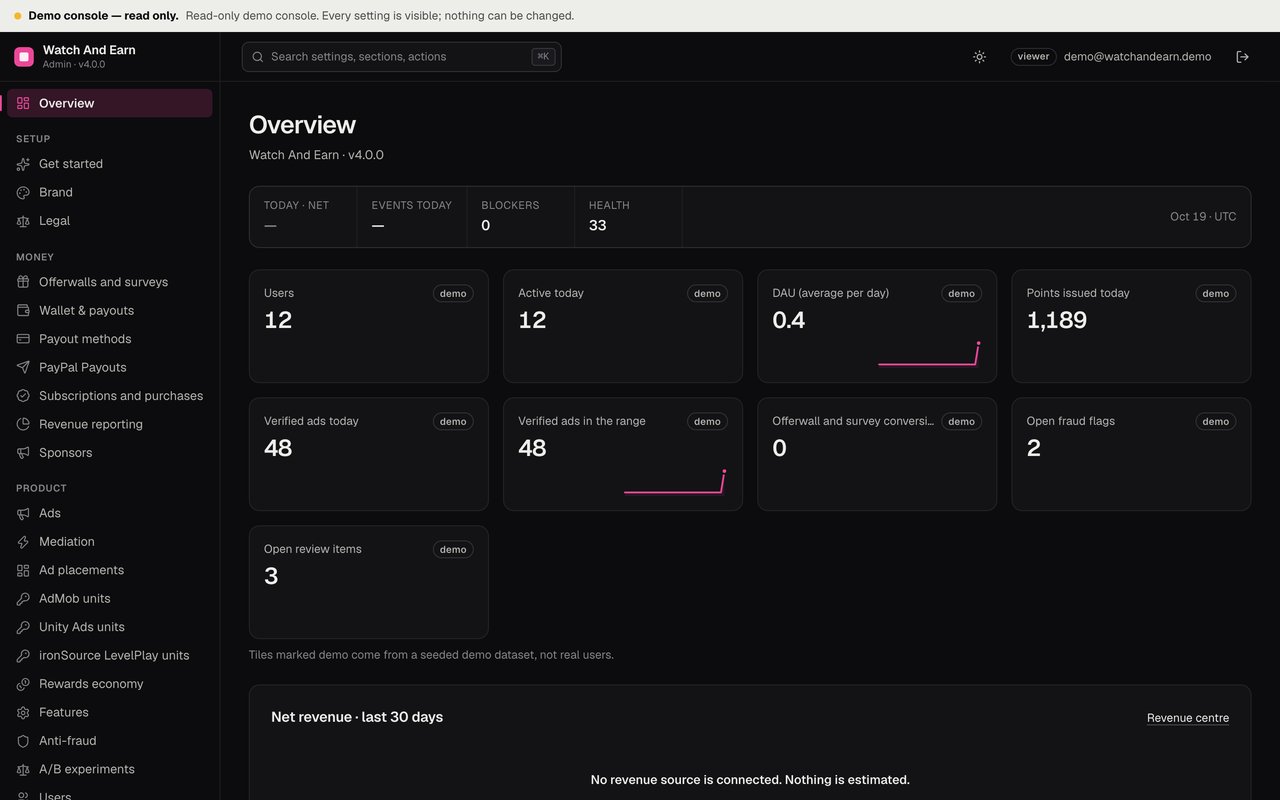
walletOpsdocument that the backend applies once (how). - Real counts, no estimates. The Overview shows users, active today, DAU, ARPDAU from measured revenue, day-1 and day-7 retention, the sign-up funnel, points issued and verified ads, offerwall conversions, open fraud flags and open review items. Revenue is only what was recorded with a reference. Anything not measured says so (Revenue centre).
02Environment variables
Copy admin/.env.example to admin/.env (never commit it) or set these in your host's environment.
| Variable | Purpose | Where to get it |
|---|---|---|
ADMIN_SECRET_KEY Required | Encrypts the secrets the console stores (ad network keys, offerwall secrets, reporting keys, the Apple .p8 key, the PayPal secret, two-factor secrets). Read Encryption keys before you change it. | Generate: openssl rand -hex 32. Back it up. Without it the stored secrets cannot be read. If it is missing, the console generates one in data/.admin-secret-key and warns in the log; move it into your environment. |
GOOGLE_APPLICATION_CREDENTIALS | Path to a service-account key file of your Firebase project. | Firebase console → Project settings → Service accounts → Generate new private key. Leave empty on Cloud Run or GCE to use the attached service account. |
FIREBASE_PROJECT_ID | Optional. Set it when the credentials do not name the project. | Your project id. |
FIRESTORE_EMULATOR_HOST | Local development only: use the Firestore emulator, e.g. 127.0.0.1:8080, with no credentials. | — |
ADMIN_DATA | sample = built-in sample data and no Firebase (public demo). Empty = Firestore. | Leave empty on your install. |
ADMIN_DEMO_PASSWORD | Only on a public demo host: makes the console a read-only demo (account demo@watchandearn.demo). | Leave empty on your install. |
PORT | HTTP port. | Default 8790. |
DATABASE_URL | Optional Postgres for the console's own data (team, sessions, settings, audit) instead of data/admin.sqlite. | Neon, Supabase, Cloud SQL… Use a pooled URL with sslmode=require. |
Keep its key file on the console's server only. Never put it in the app, in git or in a support message.
03Run it and create the owner
cd admin
npm ci
cp .env.example .env   # fill in ADMIN_SECRET_KEY and GOOGLE_APPLICATION_CREDENTIALS
npm start # http://localhost:8790/admin- Find the setup codeOn first start the log prints a one-time setup code. Each start before an owner exists prints a new one; any printed code works.
- Create the ownerOpen
/admin, choose Create the owner, enter the code, your e-mail and a password of 12 or more characters. - Add your teamUnder Team, add managers and viewers.
Compiled build instead of tsx: npm run build && npm run start:dist.
04Deploy options
| Where | How |
|---|---|
| Any Node 22 host (VPS, Render, Railway, Fly) | npm ci && npm start. Data lives in data/admin.sqlite: put data/ on a persistent disk, back it up together with ADMIN_SECRET_KEY, and run one instance. |
| Docker | See below. The volume keeps /app/data. |
| Serverless or several instances (Cloud Run with autoscaling) | Set DATABASE_URL to Postgres; tables are named mk_watchandearn_*. Give the service account the Firebase Admin SDK Administrator Service Agent role (or Cloud Datastore User plus Firebase Cloud Messaging Admin) and leave GOOGLE_APPLICATION_CREDENTIALS empty. |
cd admin
docker build -t watchandearn-admin .
docker run -p 8790:8790 -v wae-admin-data:/app/data --env-file .env watchandearn-admin
Put HTTPS in front of it (a reverse proxy or the platform's TLS), on its own host name. The session cookie is marked Secure over HTTPS and the server honours x-forwarded-proto. Proxy settings and sign-in problems: Sign-in and cookies behind a reverse proxy.
05Encryption keys: backup, loss and rotation
Before the detail: this product uses two separate encryption keys, and they have nothing to do with each other. You never need to understand the cryptography, only which key protects what.
ADMIN_SECRET_KEY- your key, for the console's secrets. You create it once (openssl rand -hex 32), put it in the console's environment and back it up. It encrypts the secret values you type into the console: the ad networks' callback secrets, the offerwall and survey postback secrets, the reporting API keys, the Apple purchase key, the PayPal secret and your team's two-factor secrets. Lose it and you have to type all of those in again - nothing else breaks.- The gift-card code key - the backend's key, for gift-card codes. You never see it, create it or enter it: the backend generates it by itself the first time you mark a gift-card payout paid, and stores it in Firestore at
config/private.wallet.codeKey. It encrypts only the gift-card codes you paste in, so a code is not readable in the database. Lose it and only older gift-card codes become unreadable.
They are kept apart on purpose: rotating your console key must never destroy gift-card codes already paid out, and a database copy must never be enough to read the codes in it. Changing one key never affects the other, and both are backed up separately - ADMIN_SECRET_KEY by you, the code key with your Firestore backup. The tables below give the exact fields, file paths and what happens in each failure case.
The console never shows a stored secret value, not even to the owner, and it cannot export them. Changing or losing ADMIN_SECRET_KEY makes every stored secret unreadable, and the only way back is to type each value in again. So before you start a rotation, get every value below from its provider's dashboard (or from your own password manager) and have them all at hand. Do not restart the console with a new key until you have every one of them.
- Unity Ads: the S2S secret. Unity support sends it by e-mail and there is no dashboard field; if you no longer have that e-mail, ask Unity support again and allow several business days (Unity Ads)
- ironSource LevelPlay: the S2S private key (or choose a new one and set it in LevelPlay too)
- AdGem, Lootably, BitLabs, CPX Research: each postback secret, from each provider's publisher dashboard
- AdMob API client id, client secret and refresh token
- The Apple in-app purchase key (
.p8file) - The PayPal REST app client secret and your notifications webhook signing secret
In detail, the two keys described above:
| Key | Where it lives | What it encrypts |
|---|---|---|
ADMIN_SECRET_KEY | The console's environment (or, if unset, the generated file admin/data/.admin-secret-key) | AES-256-GCM, with the setting's name bound to each value (admin/packages/admin-kit/server/crypto.ts). Every secret field of the console: Unity S2S secret, ironSource private key, the four offerwall and survey postback secrets, the AdMob API client id, client secret and refresh token, the in-app purchase key (.p8 contents), the PayPal REST app secret, the notifications webhook signing secret. Also each team member's two-factor (authenticator) secret. |
| Gift-card code key | Firestore config/private.wallet.codeKey | AES-256-GCM over every gift-card code you enter with Mark paid (firebase/functions/src/wallet/codes.ts). The backend creates it the first time a code is stored; it is never shown in the console, and the console keeps it when it rewrites config/private. |
Not encrypted with either key: passwords (scrypt hashes), sessions and two-factor recovery codes (SHA-256 hashes), and ordinary settings. Cloud Functions do not need ADMIN_SECRET_KEY: the console writes the plain secret values to config/private, which only the Functions and the console's service account can read.
If ADMIN_SECRET_KEY is lost or changed
- Every stored secret becomes unreadable. The log says
[admin] secret "<name>" cannot be decrypted: was the secretKey changed?for each one, and console → Status warns that the rewarded-ad verification secret is missing. - At the next start (and every save) the console rewrites
config/privatewith those secrets empty. Ad callbacks and offerwall postbacks then answer 403not configured, PayPal sends, revenue reporting and Apple purchase verification stop until you enter the secrets again. - Two-factor codes stop working (log:
two-factor secret of … cannot be decrypted). Sign in with a recovery code, then turn two-factor off and on again in Account. - Passwords, sessions, settings, the audit log and the gift-card codes are not affected.
- Putting the old key back and restarting makes everything readable again, as long as you have not saved new values over the secrets in the meantime.
Rotate ADMIN_SECRET_KEY
Do not start until you hold every value in the list at the top of this section. The console cannot show them to you after the switch, and neither can this documentation.
The console has no re-encryption command: it reads only one key. To move to a new key, enter every secret again under the new key.
- Confirm you have every valueTick off the list at the top of this section. Missing the Unity secret? Ask Unity support first and wait for the reply before you continue.
- Back upCopy
admin/data/(or dump your Postgres) together with the old key, so you can go back. - Pick a quiet timeFrom the restart until each secret is entered again, its callbacks or postbacks are refused, and those views or offers are not credited.
- Switch the keyGenerate a new key (
openssl rand -hex 32), set it asADMIN_SECRET_KEYand restart the console. - Enter every secret againAs the owner, in its section. Each save writes it to
config/private; Functions use it within about 30 seconds. - CheckConsole → Status; the self-tests in Test the callbacks; the Test buttons of the PayPal secret and the reporting keys. Team members with two-factor set it up again.
- Retire the old keyDelete it, and the backups made with it, once everything works.
Gift-card code key
No rotation is supported: there is one key and no code to re-encrypt stored codes. Never edit or delete config/private.wallet.codeKey. If it is removed, users see "That isn't available right now." when they open a code; the next gift card marked paid creates a new key, and older codes can then only be opened by writing the old key back. A changed key makes the older codes fail to open ("Something went wrong. Please try again.").
Backups
- Keep
ADMIN_SECRET_KEYin a password manager or your host's secret store, apart from the data backups. Never commit.env. - Back up the console database regularly:
admin/data/(with SQLite, copy it while the console is stopped, or usesqlite3 data/admin.sqlite ".backup admin-backup.sqlite") or your Postgres. - Back up Firestore's
configcollection for the gift-card key, for examplegcloud firestore export gs://YOUR_BUCKET --collection-ids=config. That export holds every secret in plain text: restrict access to the bucket. - The database backup plus the key reveal every secret. Protect them like the secrets themselves.
06Settings sections
The Get started and Status screens show what is still missing. The cash-wallet sections are marked 4.0.
| Section | What you set |
|---|---|
| Brand | Product name (default "Watch And Earn"), accent colour (default #EC4899), support e-mail, and "Name of the points" (step by step with pictures: Customization walkthrough). |
| Legal | Terms of service URL, privacy policy URL, rewards rules URL, and the points notice (shown in onboarding, settings and the rules screen). The Status page warns while privacy and terms are empty. |
| Ads | The older single-network choice and pacing, now a fallback. See Ads. |
| Mediation | Waterfall or mediator, the order of networks per format. See Mediation and placements. |
| Ad placements | App open, interstitial, banner, native, rewarded interstitial, global caps. All off by default. |
| AdMob / Unity Ads / ironSource LevelPlay units | Unit ids and app keys per network, and that network's verification secret. |
| Offerwalls and surveys | AdGem, Lootably, BitLabs, CPX Research: id, wall URL, secret, points per USD. 4.0 adds the reward mode (points or cash) and the platforms (Android on, iOS and web off). See Offerwalls and surveys and Cash mode. |
| Wallet & payouts 4.0 | The cash wallet on or off, currency and USD rate, platforms, user share and VIP share, hold days, referral commission, account age, verified sign-in, limits, review threshold, auto-approve, the wallet notice. All money switches off by default. See Wallet and payouts. |
| Payout methods 4.0 | PayPal, crypto, bank transfer, gift cards: on or off, minimum, fees, countries, name and processing time; crypto assets, bank fields, gift-card catalog. See Payout methods. |
| PayPal Payouts 4.0 | Owner only: sandbox or live, client id, secret (write-only, with a Test button), webhook id. Empty = manual payouts. See PayPal setup. |
| Rewards economy | Points, caps, wheel, scratch prizes, quizzes, referrals (incl. the second level), levels, VIP multiplier, check-in calendar. See Rewards economy. |
| Features | Switch each feature on or off (20 switches). |
| Subscriptions and purchases | VIP, remove-ads, boosters, point packs, store verification. All off by default. See In-app purchases and VIP, boosters and packs. |
| Season pass | Season id, name, dates, XP per level, tiers. |
| Achievements | The achievement list. |
| Mystery box and mini-games | Mystery box, memory and word games, team size; since 4.0 also the six new games. See Engagement features and Mini-games. |
| Anti-fraud | Device limit, velocity, emulators, VPN, offerwall hold in points and (4.0) in cents. See Anti-fraud. |
| A/B experiments | Two-variant tests of economy and ad values. See Growth tools. |
| Revenue reporting | Currency for ARPDAU and the AdMob API credentials, with a Test button. See Revenue centre. |
| Push defaults | Default title and message for the Push campaigns page. |
| Backend | Cloud Functions base URL, e.g. https://us-central1-<project-id>.cloudfunctions.net. The console uses it to show the exact callback and postback URLs. |
| Notifications | An e-mail and a signed webhook for alerts when a blocking check starts failing. |
Kit screens beside these: Overview, Status, Team, Audit log, History and Export.
07Product pages
Users
Search by uid, display name (starts with) or referral code. Open a profile to see the last 50 ledger rows. Adjust points with a mandatory reason: the ledger row has type admin, leaderboards do not change, and a deduction can never take the balance below 0. Ban and unban: a banned user is refused by every function except account deletion.
Ledger
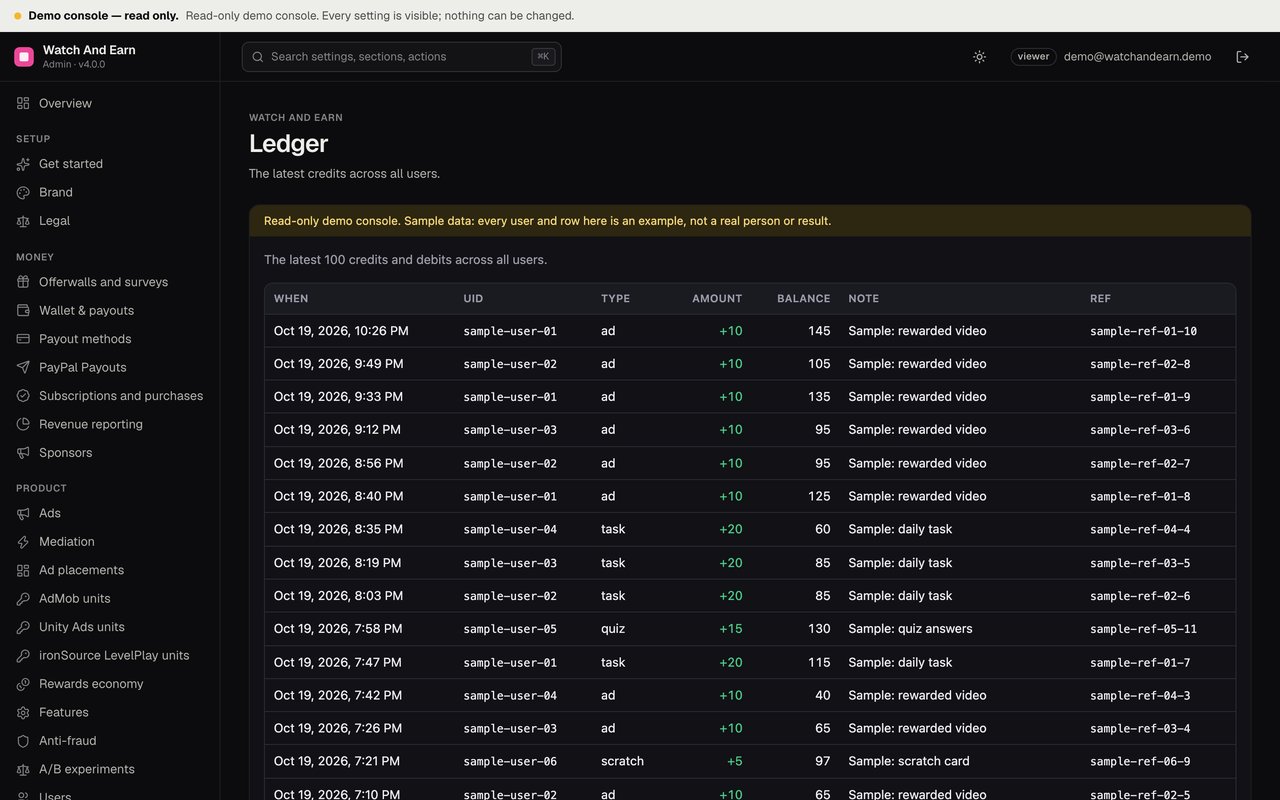
The latest credits across all users: type, amount, balance after, note.
Fraud flags
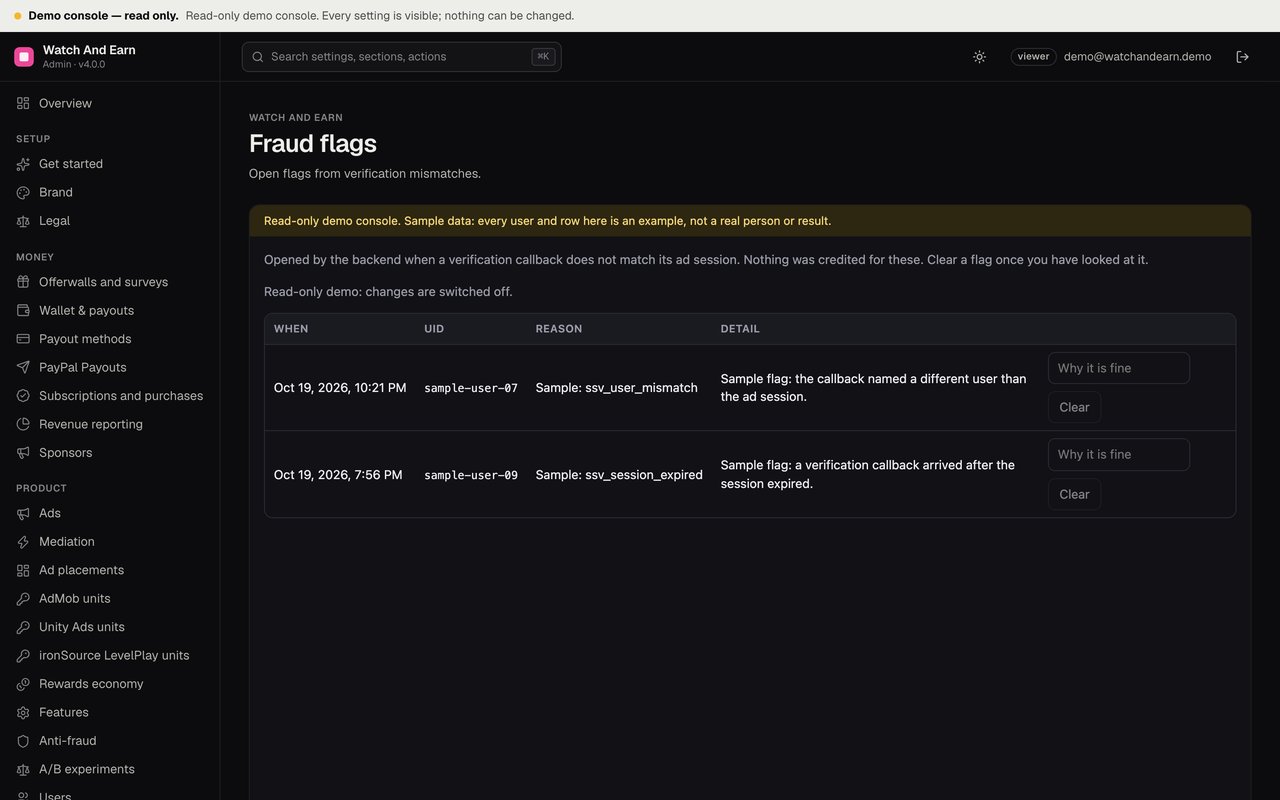
Open flags from verification mismatches, for example a callback for another user's session or an expired one. Review and clear with a reason; the user's flagged mark is removed when no other open flag remains.
Leaderboard
Today, this week and all time. On the sample demo console it is empty on purpose: the demo ranks no invented players.
Quizzes
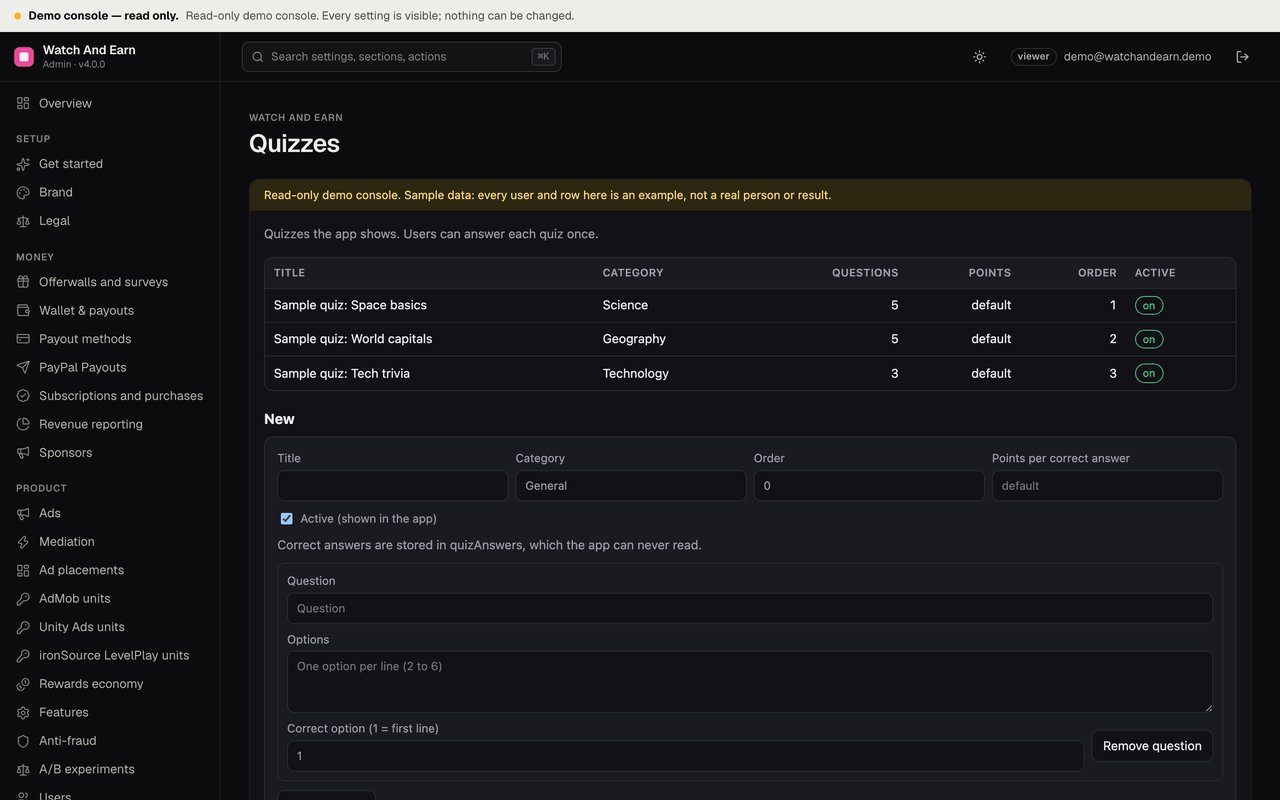
Create and edit quizzes with a title, category, order, optional points per correct answer and questions with options. Correct answers are stored separately in quizAnswers, which the app can never read.
Tasks
Daily tasks with a type (ads, spins, scratches, quizzes, offers, streak or points), a target count and points. Progress is computed on the server from today's counters; each task can be claimed once per UTC day.
Offers
Partner offers with title, description, URL, points, partner and optional image. Each offer gets a postback secret, shown once. See Partner offers. Offerwalls and surveys are configured in Settings, not here.
Push campaigns
Compose a notification, pick a segment (for "Users in a team", pick the team) and a time, or send one right away to everyone. Managers and owners only. See Push campaigns.
Payouts, Wallets, Business 4.0
The payout queue with flags and actions, one user's cash balances with grants and freezing, and the measured business figures with an example calculator that is not a forecast. See Payouts, Wallets, Business.
Review queue
Held offerwall conversions (in cash mode with their cash amount) and anti-fraud alerts (device, emulator, root, VPN, velocity). Approve or reject with a note. Rejecting can also ban the user. Approving an offerwall hold makes the backend credit it once. See Review queue workflow.
Redemptions
Operator rewards users bought with points. Fulfil once you delivered it, or Reject: the points are refunded unless you untick "refund on reject". See Rewards store.
Revenue and growth
Measured revenue by source and currency, DAU, ARPDAU, retention and the funnel over 7, 30 or 90 days. See Revenue centre.
Teams
Search teams by tag, see members, disband with a reason.
Sponsors
Sponsored banners, tasks and quizzes, with daily impressions and clicks and the booking amount. See Sponsored campaigns.
Rewards store, Events, Promo codes
Store items (the Id column is the id you use for season, mystery-box and event cosmetic prizes), tournaments with live standings, and promo codes. See Engagement features.
08Public read-only demo console
To show the console to others without Firebase, run a separate instance with ADMIN_DATA=sample and ADMIN_DEMO_PASSWORD=<a password you publish>. Visitors sign in as demo@watchandearn.demo, a viewer. No owner exists, every write answers 403, every row is labelled "Sample" and the Overview tiles are marked "demo". Never set these two variables on your real console.
The sample console tells the same story as the web demo app (admin/src/sample-settings.ts, admin/src/sample.ts, cross-checked by admin/test/sample.test.ts): the same ad placements and caps, the "Sample season" of the current month, the same achievements, mystery box, games, boosters and sample walls, the same quizzes, tasks, partner offer and store items, the event "Sample weekly event", the promo code DEMO25 and the sample sponsors. It shows no revenue and ranks no invented players. The sample settings switch the wallet on, like the demo app; the Payouts page shows four example requests (ids sample-payout-…, labelled "Sample", with example.com and placeholder destinations), Wallets shows their example balances, and the Business page says "not measured" everywhere.